
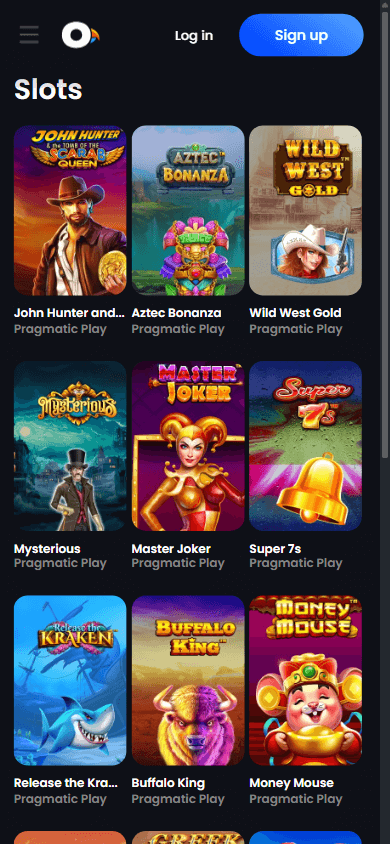
A solid gaming session starts with a dashboard that looks like yours. Jack Casino’s dashboard isn’t a static display you gaze at—it’s a collection of building blocks you can rearrange to match your habits, your favourite games, and the limits you define for yourself. The moment you log in as a Canadian player, you can put the stuff you prioritize front and centre, move the clutter aside, and access the games you truly want to play. Here’s just how to build that experience.
Understanding the Dashboard Design and Its Essential Elements
The default dashboard at Jack Casino gives you a comprehensive snapshot of your account. Up top, the header typically shows your current balance, a deposit button, and a link to the full game lobby. Below that, a central area showcases featured games, active promotions, and your recent activity. It’s a clean starting point, but the real power comes from how easily you can shift things around.
Most players will spot a handful of widgets or panels that can be moved, hidden, or expanded. You might see a balance widget placed next to a quick‑launch section for table games, or a live dealer feed. Once you understand these pieces are modular, you’ve already taken the first step. The dashboard is designed to be a command centre, and Jack Casino treats you as the one who arranges it, not a passive viewer.
For Canadian players, the dashboard already mirrors local preferences by default. Currency shows up in Canadian dollars where it applies, and responsible gaming prompts adhere to the expectations of provincial regulators. That regional awareness renders the initial layout feel familiar, but the customization options go much deeper. You can convert the interface into a genuinely personal tool, not a one‑size‑fits‑all billboard.
Configuring Security and Privacy Settings
Security is a basic layer of any online casino dashboard, and Jack Casino puts several protective features directly within reach of customization. The objective is to give you command over how your account is protected and how your activity is logged, without making the process complex.
Enabling Two‑Factor Authentication
Two‑factor authentication (2FA) can be enabled from the dashboard’s security panel. Once activated, each login needs a code from an authenticator app or a text message in addition to the password. You can also set the dashboard to remember trusted devices for a limited time, reducing the need for frequent codes on a home computer while maintaining the account secure on public networks. For Canadian players accessing the casino from a mobile device on the go, 2FA adds a essential layer of protection.
Checking Recent Account Activity
A adjustable activity feed can be placed on the dashboard to show recent logins, including the device type, location, and time. If a login from an unfamiliar city or a different browser appears, you can notice it immediately. This widget can be enlarged to show a full history of account changes, such as password resets or payment method updates. The transparency of the feed helps you experience in control and acts as an early warning system for any abnormal activity.
Privacy settings also extend to how your username and avatar appear on the dashboard. While your full username is needed for account management, the dashboard can show a nickname or a chosen avatar, making the shared device experience a little more private. These small touches show a design philosophy that values your personal space, even inside a digital gaming environment.
Setting Up Responsible Gaming Controls from the Dashboard
An important customization areas is the integration of responsible gaming tools straight into the dashboard. Jack Casino places these controls front and center, and you can adjust them to match your personal limits and goals. The dashboard turns into a daily partner in maintaining healthy play, not just a game launcher.
Deposit Limits and Spending Caps
Via the dashboard, you can set daily, weekly, or monthly deposit limits. Once you enter a cap, the system enforces it automatically, and any attempt to exceed it will be blocked. You can also configure the dashboard to show a small progress bar that indicates how much of your chosen limit has been consumed. This visual cue serves as a gentle reminder that aids Canadian players stay aware of their spending without searching through account menus.
Play Session Alerts and Time‑Outs
Reality check notifications represent another customizable option. You can tell the dashboard to display a pop‑up after a set number of minutes of continuous play. The reminder presents the session duration, wins and losses for that period, and provides an option to log out or continue. The timing can be adjusted in five‑minute increments, and the dashboard saves your preference so it persists across all devices.

For users seeking an extended rest, the dashboard offers direct access to time‑out and self‑exclusion options. A short‑term time‑out of 24 hours or a week can be initiated with a few clicks, and the dashboard instantly blocks access to real‑money play. Self‑exclusion for longer periods is likewise available, and the dashboard will show clear details about the cooling‑off period and what occurs with your account balance during that time. These controls are not concealed; they are intended to be easily found and adjusted.
Customizing Notification and Communication Options
Messages can create the gaming experience more engaging, but only when they are relevant. Jack Casino enables you personalize which alerts show up on the dashboard and how they are delivered. The notification centre can be set to display new bonus offers, game releases, tournament invites, or live chat messages. Each category can be adjusted independently, so a player who only wants to receive live dealer promotions can disable everything else.
The dashboard can also integrate with email and push notification preferences. You might opt to receive a daily email digest of new games but prefer to have deposit confirmations only inside the dashboard’s alert bell. This layered approach guarantees the most urgent information keeps visible without cluttering the home screen with banners. For Canadian players who appreciate privacy, the ability to turn off promotional pop‑ups while retaining security alerts active is an important equilibrium.
Another thoughtful feature is the option to set quiet hours. During a defined window, the dashboard blocks all non‑essential notifications, even if they are normally enabled. This is perfect for players who want a distraction‑free session or who play at the casino during specific times of the day and prefer not to be interrupted. The settings are saved to the account, so they function consistently regardless of the device you utilize to log in.
Organizing Deposit and Withdrawal Shortcuts
Rapidity and simplicity are important when it’s time to add money to your account. Jack Casino’s dashboard can be personalized to include a quick‑deposit panel that shows your most‑used payment methods. Instead of going through the main cashier menu every time, you can create a shortcut for Interac e‑Transfer, a specific credit card, or an e‑wallet like MuchBetter. This shortcut cuts the deposit process down to a few taps or clicks.
Canadian players will find that local payment methods are fully available in the dashboard customization. Interac is a popular choice, and adding it to the quick‑deposit bar means the dashboard asks for the amount and completes the transaction without leaving the home screen. The same goes to bank transfers and prepaid vouchers. The platform usually recalls the last method you used, but a custom shortcut ensures your preferred method is always the first option, even if you accidentally used another method.
Withdrawal preferences can also be simplified. While the actual withdrawal process needs a few security steps, the dashboard can present a “fast withdrawal” widget that details your most recent withdrawal method and its typical processing time. E‑wallets often handle within 24 hours, while bank transfers may take three to five business days. Having that information up front assists Canadian players plan their cashouts and select the method that best fits their timeline.
Keep in mind that the dashboard does not circumvent any security or verification steps. Know Your Customer requirements stay in place, and all financial widgets are view‑only until you complete the standard authentication. Customization is about making the path to a deposit or withdrawal clearer, not about removing the protections that maintain your account safe.
Customizing the Account Overview and Balance Display
The way financial information is presented on the dashboard can have a unexpectedly large impact on your comfort https://jackscasino.ca/. Jack Casino lets you choose which balance components are shown at a glance. A casual player might want to see only the main casino balance and hide the sportsbook or poker wallet if they never use those sections. Others might prefer a consolidated view that shows all funds in one place.
Beyond visibility, you can modify the primary currency setting. A Canadian player who chooses to see their balance in Canadian dollars can select CAD as the display currency from the account settings, and the dashboard will show that choice immediately. This small change eliminates the mental math of converting from another currency and makes deposit and withdrawal limits appear more tangible. The balance widget can also be set to refresh automatically or manually, depending on how often you want real‑time updates.
Another useful adjustment is the display of recent transaction summaries. You can set up the dashboard to show the last three deposits or a weekly spending summary directly on the home screen. For players who want a quick financial snapshot without diving into the full cashier section, this transparency is a helpful tool. It also supports responsible money management, a theme that appears through the dashboard’s customization options.
Tailoring Game Categories and Favorite Titles
The game library is vast, and a well‑organized dashboard turns it into a streamlined, curated collection. Instead of scrolling through every slot or table game every time, you can anchor your most‑played titles right onto the dashboard home screen. That creates a quick launch pad for the games you actually play, whether it’s a specific progressive jackpot slot, a preferred live blackjack table, or a video poker variant you’ve grown accustomed to.
Pinning Your Most‑Played Games
Pinning a game usually means clicking a small star or pushpin icon while you’re browsing the game lobby. Once pinned, the title appears in a dedicated section of the dashboard. You can save multiple games, and you can often reorder the order by dragging and dropping them. This simple action eliminates the friction of searching through filters every time you start a session. It’s particularly handy if you share your time between a few go‑to titles.
Filtering and Sorting the Game Library
Beyond saving, the dashboard can retain your library filters. If you only want to see slots from a specific provider or table games with a certain betting range, you configure those preferences once, and the dashboard retains them across sessions. Ordering options—by popularity, release date, or jackpot size—can also be locked in. That means the game discovery area becomes a customized feed, not an excessive catalogue, and it adapts as new titles matching your saved criteria are added.
For Canadian players who appreciate provincial favourites or games with a local flavour, the ability to filter by theme or volatility can surface hidden gems. The Jack Casino library is international, but a custom dashboard helps you surface games that match your exact appetite, whether that’s high‑volatility slots with a winter sports theme or low‑stakes roulette tables that match a more cautious approach.
Enhancing the Dashboard for Mobile and Desktop Use
The Jack Casino experience is not restricted to one screen size. Players in Canada often move between a laptop at home and a smartphone during a commute, and the dashboard customization is designed to accompany them. The same account preferences work across devices, but the layout responds intelligently to the screen real estate available.
On a desktop, the dashboard can spread out with multiple widgets side by side: a game launcher on the left, a balance and deposit panel on the right, and a live dealer feed in the centre. On a mobile device, those same modules pile vertically, but the pinned games and quick‑deposit shortcuts persist at the top for easy thumb access. The customization settings are kept in the cloud, so a player who reorganizes the dashboard on a tablet will see the same arrangement when logging in from a phone.
Mobile‑specific adjustments are also available. You can set the dashboard to hide high‑bandwidth live streams by default on cellular data, save animations, or display a simplified version of the game grid. These settings won’t change the desktop experience, and you can switch them based on your current connectivity. For anyone who values a fast, data‑friendly session, these mobile optimizations convert the dashboard into a practical tool rather than a data‑heavy portal.
Saving and Resetting Your Personalized Dashboard Setup
After you’ve spent time organizing widgets, favoriting favourite games, and establishing responsible gaming limits, the final step is to guarantee your setup is preserved. Jack Casino continuously records dashboard changes to your account. There’s no dedicated “save” button; each adjustment is logged in real time. This means that even if you clear your browser cache or log in from a new device, the personalized layout shows up.
If a customization experiment turns out as planned, a reset option is accessible. You can revert the dashboard to the default layout with a single click, and the process is undoable only by manually repeating the changes. This is useful when you’ve tried multiple arrangements and desire a clean slate without losing account settings like deposit limits or notification preferences, which are stored separately from the visual layout.
For Canadian players who share a device with family members, note that dashboard customization is connected to the individual account, not the device. Logging out and logging in with a different account displays that user’s personalized dashboard. This separation maintains each player’s financial data, game pins, and responsible gaming settings private, preserving the integrity of the customized experience for everyone.